
7 Systems Every Novelist Needs to Actually Finish a Manuscript
7 systems first and second novelists use to get to 80K words — covering daily streaks, chapter boards, agent queries, and the tools that actually work.
Published June 3, 2026
Finishing a novel is not primarily a creativity problem. Writers who stall out at chapter 6 or chapter 15 almost always have the same issue: they cannot see where they are. They do not know how many words they wrote last week, how many chapters are drafted versus revised, or whether the ending they planned in chapter 1 still holds at chapter 12.
Systems fix this. Not complicated systems — just the right seven.
A daily word count log with streak tracking
Daily momentum is the engine of any long manuscript. The problem is not writing every day — the problem is knowing your streak broke and not caring because you have no visual record of it.
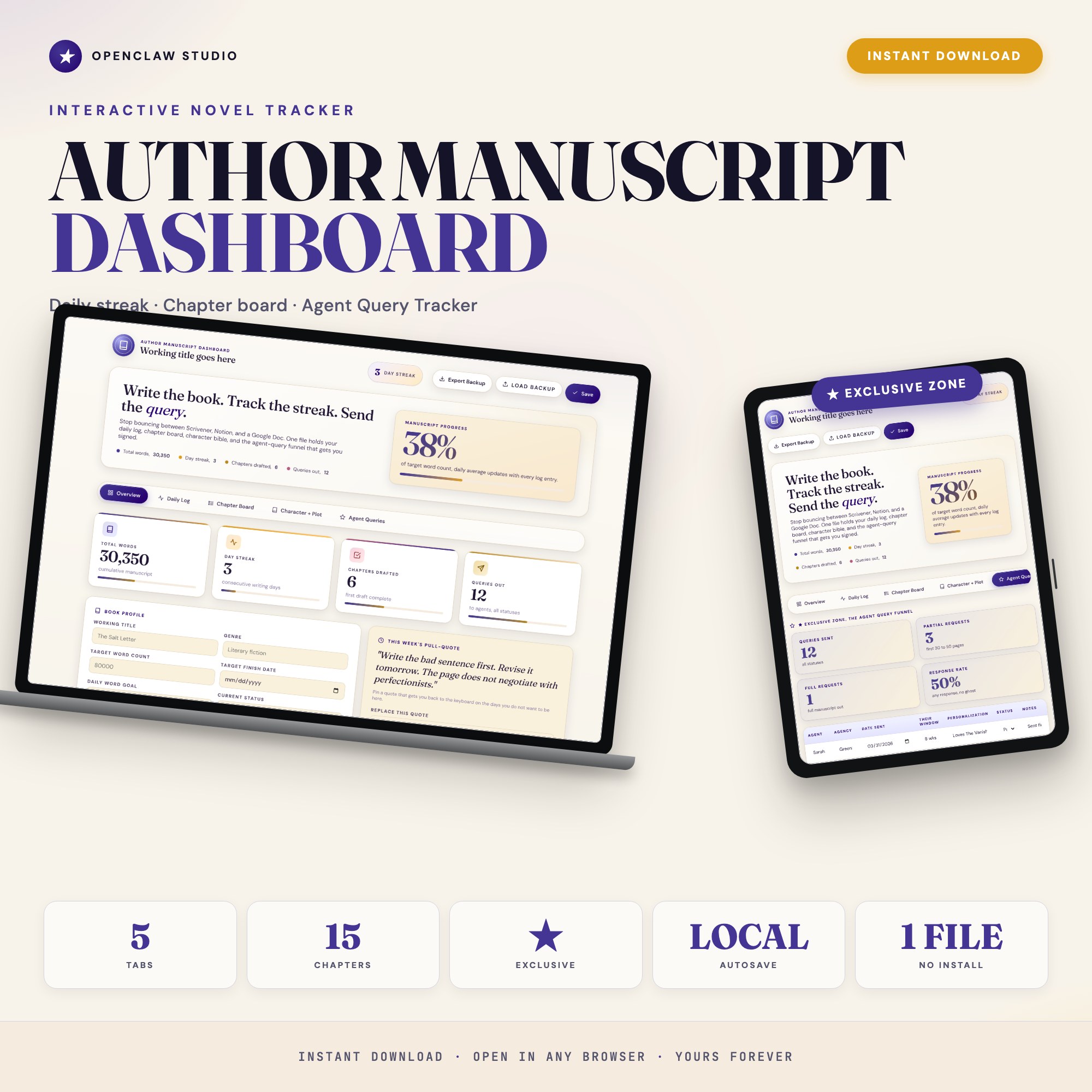
A daily log that shows you your total words, yesterday’s count, and your current streak creates an accountability loop that is surprisingly hard to break once it gets to 14 or 21 days. The Author Manuscript Dashboard pre-seeds 30 days of the daily log and shows a per-week mileage rollup alongside your mood and scene notes.
A chapter-by-chapter status board
Most novelists try to hold the entire manuscript in their head. It does not work past chapter 4. What does work is a card-per-chapter system where each chapter shows its target word count, current count, status (outlined / drafted / revised / final), and a one-line summary.
This gives you a picture of the whole manuscript at a glance — which chapters are solid, which need revision, which are still rough outlines.
A character and plot bible you actually update
Character bibles fail because writers build them in Notion or Google Docs and never open them again. The solution is not a better Notion template — it is placing the character and plot reference inside the same system where you log your daily progress, so opening the dashboard for your morning count is the same action as checking a character’s backstory.
A milestone and timeline tracker
An 80K manuscript across 24 weeks means roughly 3,300 words per week. Knowing that number matters. What matters more is knowing whether you are on pace. A milestone system tracks your target manuscript completion date, your current cumulative word count, and whether your pace projects you to finish on time.
An agent query submission funnel
Most writers who reach the query stage manage their submissions in a spreadsheet with a date and a name. What they actually need is a submission funnel: agent name, agency, date sent, response window, and a status field that distinguishes no response from a form rejection, a partial request, and a full request.
This is the exclusive feature in the Author Manuscript Dashboard: Tab 5 tracks every query with those exact fields, plus a response-rate rollup that tells you your partial request rate over time. For writers querying 40 to 80 agents, the difference between a 2% partial rate and a 15% partial rate is your query letter, not your manuscript — and you only know that if you have the data.
An overview dashboard with live stats
Four numbers matter at any given moment in a manuscript’s life: total words, daily streak, chapters drafted, and queries sent. A dashboard that shows all four in stat cards — so you get the full picture in under five seconds each morning — is the difference between an author who feels in control and one who is guessing.
A system that works offline in the browser
Novelists write everywhere. Coffee shops with spotty wifi. Early mornings before the household wakes up. Airports during layovers. A writing system that requires a Notion account, a Google login, or reliable internet is a system that will fail you at the exact moment you sat down to work.
A single HTML file that opens in Chrome and saves to your browser’s localStorage is available anywhere, every time.
One File That Covers All Seven
The Author Manuscript Dashboard is a $22 one-time purchase — no subscription, no Scrivener license, no Notion workspace. Five tabs: Overview, Daily Log, Chapter Board, Character + Plot Bible, and Agent Queries. Open it in Chrome and your entire book-in-progress is on screen in one click.
Frequently asked questions
- What is the most common reason first novelists abandon their manuscript?
- Loss of momentum around chapters 8 to 12, combined with no system to show them where the book stands. A streak tracker and chapter status board together fix both problems.
- Do I need expensive software like Scrivener to finish a novel?
- No. Scrivener requires a license, a learning curve, and desktop installation. The Author Manuscript Dashboard costs $22 one-time and opens in any browser with no setup required.
- How does an agent query tracker help a novelist?
- It turns 40 scattered email threads into a conversion funnel — showing response rates, partial requests, and full requests in one view. Most writers have no idea their query letter has a 2% response rate until they see the number.
- How quickly can I get started with the Author Manuscript Dashboard?
- Under 5 minutes. Download the file, open it in any browser, and start using it immediately. Everything autosaves automatically.
Featured dashboards from this list
Interactive HTML dashboards — one-time purchase, works offline, no subscription.
ListingResearchOS Shop
All dashboards — single file, yours forever
Interactive HTML. No subscription. Works offline in any browser.
Browse all dashboards →