
How to Track Word Count and Actually Finish Your Novel
A practical word count tracking system for novelists chasing an 80K manuscript — daily log, chapter board, and streak habits that survive past chapter 5.
Published June 3, 2026
Most novelists don’t fail to finish their book because they run out of ideas. They fail because they lose the thread somewhere around chapter 5, the momentum from their early writing sessions evaporates, and they never establish a tracking habit that shows them exactly where they left off and how far they’ve come.
Word count tracking is the simplest intervention that actually works. This guide explains how to build a daily log habit, keep your chapter board current, and know your real progress at any point in your manuscript.
Why Word Count Tracking Changes Completion Rates
A novelist who logs 500 words today has data. A novelist who “writes when they can” has hope. Both might spend the same number of hours on their manuscript, but only one of them knows that at their current pace they’ll reach 80,000 words in 22 weeks — and what they need to do differently if they want to finish in 14.
Daily logging creates visible momentum. When you open your log and see a 23-day streak, you feel the cost of breaking it. When you see that last week’s sessions averaged 380 words against your 500-word daily target, you know to block an extra 30 minutes tomorrow. You’re making adjustments based on actual data, not a vague sense that you should “write more.”
Set a Realistic Daily Word Count Target
Before you build a tracking habit, set a target that fits your actual schedule.
- 500 words/day (5 days/week): 80,000-word draft in approximately 32 weeks
- 750 words/day (5 days/week): 80,000-word draft in approximately 21 weeks
- 1,000 words/day (5 days/week): 80,000-word draft in approximately 16 weeks
Many writers overestimate their daily capacity and set a target they can’t sustain. A 500-word-per-day habit you maintain for 30 straight days is more productive than a 1,500-word target you hit twice a week. Start lower than you think you need to. You can always increase.
Log Every Session with These Five Fields
For each writing session, record:
- Date — so you can spot gaps and streaks
- Word count today — just the words written in this session
- Cumulative total — the running count toward your manuscript goal
- Scene or chapter worked on — keeps the log connected to your actual manuscript progress
- Notes or mood — optional but useful; patterns in your energy and output become visible after a few weeks
The cumulative total is the most motivating number. Watching it climb from 0 to 12,000 to 31,000 makes the abstract goal of “finishing a novel” feel incremental and achievable.
Maintain a Chapter Status Board
A daily word count log tells you how much you’ve written. A chapter board tells you where your manuscript stands structurally.
For each chapter, track:
- Chapter number and working title
- Target word count (rough, for this chapter)
- Current word count
- Status: Outlined / Drafted / Revised / Final
- One-line summary — a sentence describing what happens in this chapter
The chapter board is where you see your book at a structural level. If you’ve drafted chapters 1–6 and chapters 11–14 but chapters 7–10 are still “outlined,” that gap is immediately visible. You know where the work needs to go next without re-reading your entire manuscript to find your place.
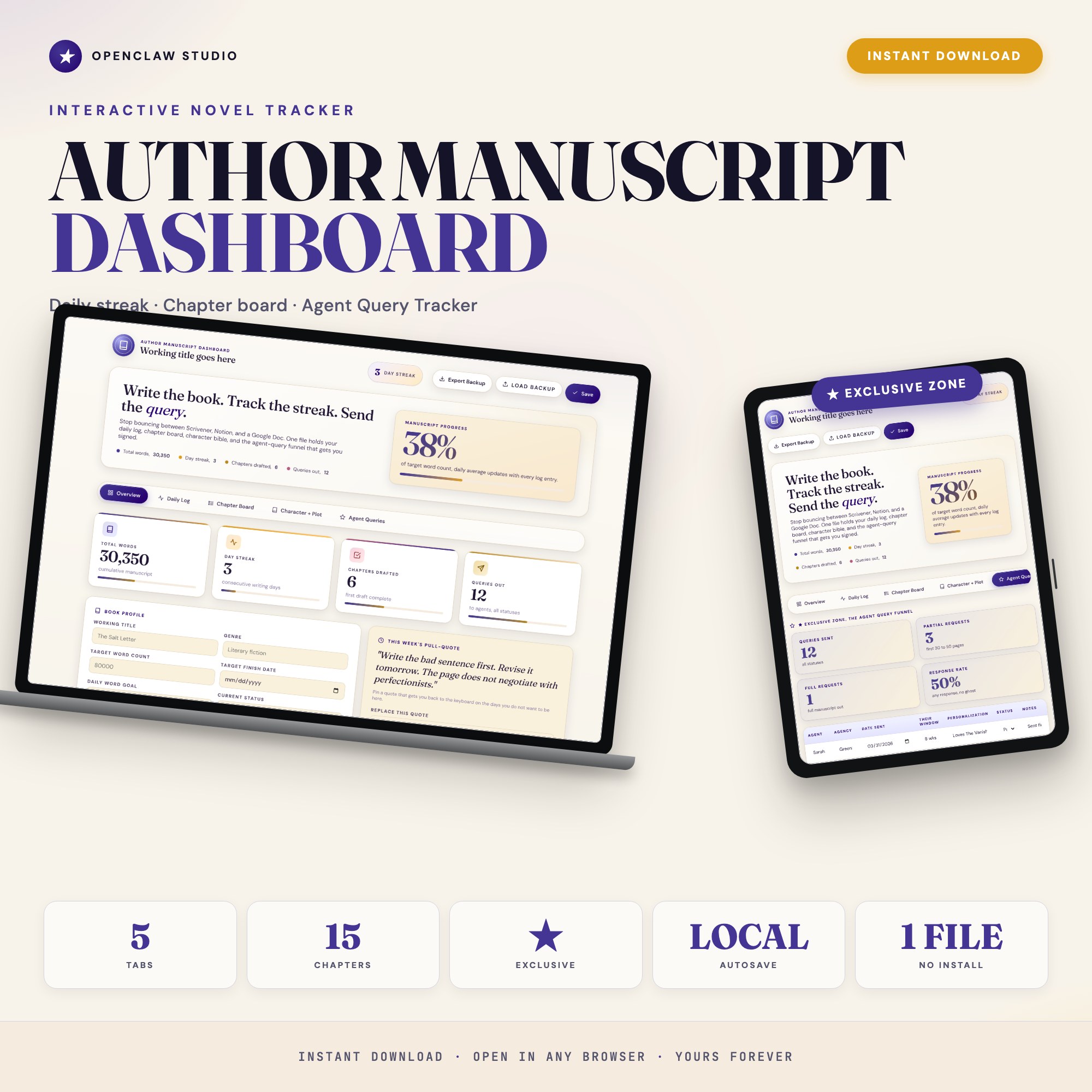
The Author Manuscript Dashboard has a Chapter Board tab with a card per chapter and a status dropdown (outlined, drafted, revised, final), plus a one-line summary field. It sits alongside the Daily Log tab so your session count and chapter progress are always one click apart.
Keep a Character and Plot Reference You Actually Use
The most common reason writers stall in the middle of a manuscript: they’ve lost track of who their characters are and what motivates them. Checking your notes requires opening three different documents.
A usable character reference has, per major character:
- Name and role
- Core motivation — what they want, fundamentally
- Arc beats — how they change from chapter 1 to the end
- Voice notes — a sentence or two about how they speak and what they notice
This isn’t a 10-page character sheet. It’s a quick-reference that reminds you of the essential details during a drafting session without pulling you out of your flow.
After the Draft: Track Your Agent Queries
Finishing the draft is one phase. Querying literary agents is a different, data-driven process that most writers manage poorly.
A query tracker should record, for each agent:
- Agent name and agency
- Date sent
- Response window — what their submissions page specifies
- Status: No Response / Form Pass / Partial Request / Full Request / Offer of Rep
With 40 or 50 queries outstanding, a simple list doesn’t tell you anything useful. A tracker with status columns shows you your request rate (partials and fulls as a percentage of queries sent), which is the actual signal about whether your query is working.
The Author Manuscript Dashboard has a dedicated Agent Queries tab that captures all of this and generates a response-rate rollup so you’re not guessing whether your query needs revision. It’s the one feature no other writing planner includes as an interactive tool.
One-time purchase at $22. Find it at ListingResearchOS on Etsy.
Frequently asked questions
- Do I need special software to use an offline dashboard?
- No. An offline HTML dashboard like the Author Manuscript Dashboard is a single file you open in any browser — Chrome, Edge, Safari, or Firefox. Nothing to install, no account to create.
- Is my data private if I use a browser-based dashboard?
- Yes, completely. Data stored in your browser's localStorage never leaves your device. There are no servers, no analytics, and no uploads of any kind.
- Can I back up my data?
- Yes. Every ListingResearchOS dashboard includes an Export Backup button that downloads a JSON file to your computer. Load Backup restores it on any device or browser.
- What makes an interactive HTML dashboard better than a spreadsheet?
- Spreadsheets require manual formula maintenance and lack purpose-built workflows. An interactive HTML dashboard has pre-built logic — like Built-in Agent Query Tracker capturing agent, agency, date sent, response window, status (no response / form pass / partial / full / offer of rep), with personalized response-rate rollup — that a spreadsheet can't replicate without significant engineering work.
- How much does the Author Manuscript Dashboard cost?
- It is a one-time purchase of $22 on Etsy. No monthly subscription. Once you buy it, it is yours forever.
Ready-made dashboards
Skip setup — grab an interactive dashboard built for this exact workflow.
ListingResearchOS Shop
All dashboards — one-time purchase, yours forever
Single HTML files. No subscriptions. No login. Works offline in any browser.
Browse all dashboards →