
How to Track a Home Renovation Budget Without Going Over
Practical system for tracking renovation costs, change orders, and vendor bids before your remodel quietly blows past budget.
Published June 3, 2026
Three weeks into a kitchen remodel, most homeowners are tracking costs in at least four places: a spreadsheet from week one, a running text thread with the GC, a folder of PDF bids, and their own memory. The problem isn’t motivation — it’s structure. Renovation budgets rarely blow up in one dramatic moment; they erode through dozens of small “while we’re at it” decisions that never get formally captured.
This guide explains exactly how to track a home renovation budget before the drift becomes unrecoverable.
The Budget Variance Problem Every Remodel Hits
Every renovation has two budgets: the one you planned and the one you’re actually spending. The gap between them widens every time a contractor says “that’s going to be extra” and you agree without writing it down.
Bid variance — the difference between what a trade quoted and what they billed — is the most common source of overruns. A plumber bids $4,200 rough-in. The actual invoice arrives at $5,800 because of two scope adds discussed verbally on-site and never documented. By the time you see the invoice, you can’t reconstruct which changes drove which costs.
The fix is a change order discipline, not a more elaborate spreadsheet.
Build a Line-Item Budget Before Week One
Before your first trade starts, map every cost category:
- Demo and haul-away — often underestimated because it grows when walls open up
- Framing and structural — anything load-bearing should carry a 20% contingency buffer
- Mechanicals — plumbing, electrical, HVAC rough-in and finish
- Tile and flooring — include waste factor (10% for straight lay, 15% for diagonal)
- Cabinetry and millwork — lead times here affect your entire schedule
- Fixtures and appliances — tracked separately from installation labor
- Permits and inspections — frequently forgotten in original budget math
- Soft costs — design fees, expediting, disposal permits
For each category, record your bid amount as the baseline. Every actual invoice gets logged against it. The delta column — bid minus actual — shows you where you stand in real time, not at closeout.
Document Every Change Order in Writing
This is the practice that separates homeowners who finish near budget from those who don’t: every verbal “yes” to a scope change gets recorded before the work starts.
A change order entry needs four fields:
- What changed — specific description of the new scope
- Cost delta — the additional amount, confirmed in advance
- Signed date — when both parties agreed
- Contractor — which trade the change applies to
When your GC asks to fur out a wall to hide ductwork, that conversation becomes a change order entry before the framing crew arrives. When your tile installer finds soft subfloor and needs to sister joists, same process. Document the delta, confirm the price, record the date.
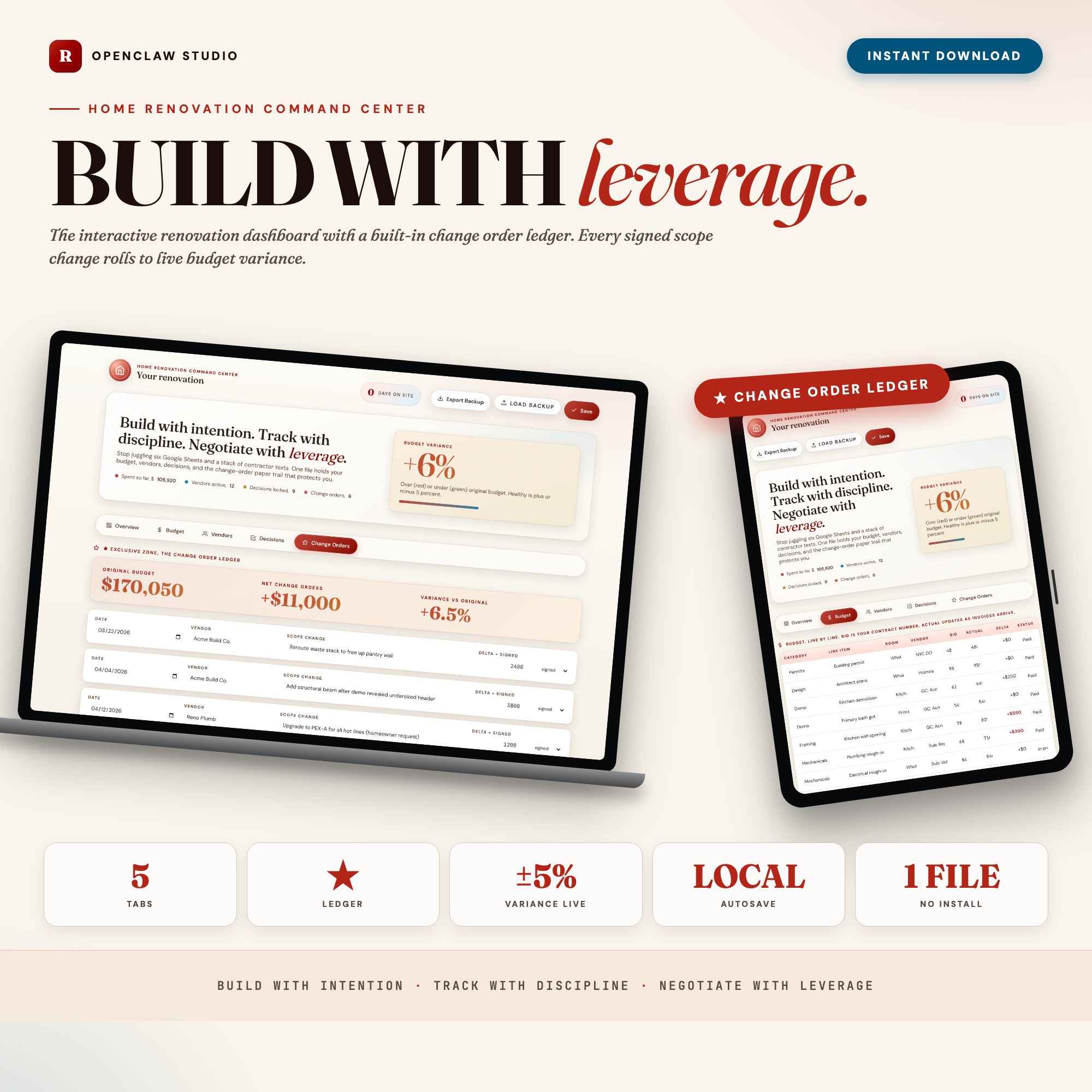
The Home Renovation Command Center has a dedicated Change Order Ledger tab built for this. Every entry rolls into a live budget-variance percentage so you can see, week by week, whether your original budget is still viable — and you have a paper trail ready for any arbitration conversation.
Track Vendors with COI Status and Payment Dates
Active renovations involve 5–8 trades at different phases. Losing track of who has a current Certificate of Insurance, who is owed a draw payment on what date, or who hasn’t submitted their final lien waiver creates both financial and legal exposure.
For each vendor, track:
- Company and primary contact
- Scope summary — what they’re contracted to do
- COI expiry date — never let a trade on site without current coverage
- Payment schedule — typically 10% mobilization, milestone draws, 10% retention at completion
- Next payment due — so cash flow doesn’t catch you off guard
- Contract on file — yes/no
In a final invoice dispute, your documented payment history is your leverage.
Log Finish Decisions as You Make Them
Tile, paint, hardware, lighting, faucets, appliances — renovation decisions happen fast, often under showroom pressure. Each selection cascades. The cabinet pull you love at $8 each becomes $336 across 42 cabinets. The light fixture you upgraded to has a four-week lead time that pushes your electrician’s final trim.
A decision log captures:
- Item — backsplash tile, kitchen faucet, etc.
- Selection — specific SKU or description
- Vendor source — where to reorder if needed
- Status — considering, ordered, locked
- Notes — lead time, quantity ordered, finish
Locking a decision means it doesn’t get revisited. Every unlocked decision is a potential delay.
Run a Weekly Budget Pulse Check
Once per week — before your GC walkthrough — spend ten minutes reviewing three numbers:
- Total spent vs. total budget — the top-line health check
- Change order running total — how much approved scope has been added
- Committed but not yet invoiced — materials ordered and labor contracted but not yet billed
That third number is the one most homeowners miss. A cabinet order placed last week is real money even before the invoice arrives. If you wait for invoices to arrive before assessing budget position, you’re always two weeks behind the actual financial state of your project.
The Home Renovation Command Center builds this weekly check into its Overview tab with live stat cards for total spent, budget remaining, vendors active, and days on site.
If You’re Already Running Over
If you’re mid-renovation and the numbers aren’t working, start by stopping untracked scope growth. No new verbal agreements without a written change order. Then:
- Reconcile change orders — add up every approved scope addition since the original contract. That is your true committed overrun.
- Identify deferrable scope — what can move to a Phase 2? Deck, landscaping, and secondary bathrooms are common candidates.
- Request a budget-to-complete estimate from your GC — ask for their current forecast to finish the contracted scope. This gives you the actual number to make decisions from.
- Protect retention carefully — your 10% hold is leverage for final punch list completion. Don’t release it until every item is resolved.
Renovations rarely fail because of one catastrophic event. They fail because dozens of small decisions got made without a paper trail. A tracking system doesn’t prevent change orders — it ensures every one is documented, priced, and accounted for before the invoice arrives.
Browse the full collection of offline project dashboards at ListingResearchOS on Etsy.
Frequently asked questions
- Do I need special software to use an offline dashboard?
- No. An offline HTML dashboard like the Home Renovation Command Center is a single file you open in any browser — Chrome, Edge, Safari, or Firefox. Nothing to install, no account to create.
- Is my data private if I use a browser-based dashboard?
- Yes, completely. Data stored in your browser's localStorage never leaves your device. There are no servers, no analytics, and no uploads of any kind.
- Can I back up my data?
- Yes. Every ListingResearchOS dashboard includes an Export Backup button that downloads a JSON file to your computer. Load Backup restores it on any device or browser.
- What makes an interactive HTML dashboard better than a spreadsheet for renovation tracking?
- A spreadsheet requires you to build and maintain formulas yourself. The Home Renovation Command Center has a dedicated Change Order Ledger tab that captures each scope change, cost delta, signed date, and automatically rolls everything into a live budget-variance percentage — logic a spreadsheet can't replicate without significant custom work.
- How much does the Home Renovation Command Center cost?
- It is a one-time purchase of $26 on Etsy. No monthly subscription. Once you buy it, it is yours forever.
Ready-made dashboards
Skip setup — grab an interactive dashboard built for this exact workflow.
ListingResearchOS Shop
All dashboards — one-time purchase, yours forever
Single HTML files. No subscriptions. No login. Works offline in any browser.
Browse all dashboards →