
How Dual-Income Parents Manage Family Schedules Without Subscription App Overload
How dual-income working parents of kids 0–8 manage sleep, household tasks, weekly routines, and decisions without juggling five different parenting apps.
Published June 3, 2026
Dual-income parents of young children are running a complex operation: two careers with unpredictable hours, kids with age-specific sleep and developmental needs, a household with 50+ tasks distributed between two people, and decisions being made daily without the mental bandwidth to research them properly.
The app economy’s response was to add more apps. The result for most families: five apps with login problems, conflicting push notifications, and the sinking feeling that you’re spending more time managing the apps than managing the family.
Here’s a different approach.
The Sleep and Wake Window Problem
For parents of kids under 5, sleep is the operating system. When the sleep is off, everything else — behavior, mood, appetite, development — degrades. Getting the sleep right requires knowing two things: the current age-appropriate wake window for your child, and whether the pattern of the last 30 days shows a trend.
Wake windows change frequently in the first two years. A 4-month-old has a wake window of roughly 75–90 minutes. At 9 months, it’s 3–3.5 hours. At 18 months, it’s shifting to one nap and a 5–6 hour window. If you’re working from a wake window that was accurate three months ago, you’re already off.
The Sleep and Wake Windows tab in the Calm Family OS has an age-graded calculator grounded in Polly Moore, Harvey Karp, and Jodi Mindell research. Enter your child’s age, get the current wake window, nap count, and bedtime target. No subscription. No app that stops working if you cancel.
The Mental Load Problem
The household equity problem in dual-income families is real and specific: it’s not usually that one person does all the tasks. It’s that one person carries the mental load of knowing which tasks need doing, when they need doing, and whether they got done. That invisible planning and awareness layer — what Eve Rodsky calls Conception and Planning in the Fair Play framework — is where the imbalance lives.
Getting to a genuinely shared household requires naming the CPE (Conception, Planning, Execution) owner for each household domain — not just who executes the task, but who is responsible for noticing it needs doing and planning the logistics. When that’s explicit, the “I didn’t know we were out of” problem goes away.
The Fair Play Ledger in the Calm Family OS covers 100 household domains, assigns CPE ownership per card, and shows a household balance score that updates in real time. The weekly check-in ritual built into the tab prompts a 10-minute conversation instead of a 45-minute argument.
The Predictable Rhythm Framework
Harvard’s Center on the Developing Child research identifies predictable daily routines as a significant protective factor for child development and family stress levels. The mechanism isn’t that routines are rigid — it’s that predictable sequences lower cortisol in kids who spend energy anticipating what comes next.
The anchor points that matter most:
- Morning routine — sequence from wake to out-the-door
- Transition — school/daycare pickup to home
- Dinner — table time, family conversation structure
- Bedtime — the non-negotiable wind-down sequence
The Family Rhythm tab in the Calm Family OS is a predictable weekly routine builder organized around these four anchor points, with a color-coded 7-day grid and a behavior trigger tracker: logging the four common meltdown triggers (sleep, hunger, transition, sensory) before each incident surfaces patterns that are invisible without the data.
The Decision Journal Problem
Parenting involves constant decisions made under conditions of incomplete information: which pediatric approach is right, whether to drop a nap, how to handle a specific behavior. Most parents make these decisions reactively, in isolation, and then relitigate them six months later when the same situation comes up again.
An evidence-quality journal for parenting decisions — logging what you decided, what evidence you used, and what happened — turns individual decisions into a knowledge base. Emily Oster’s ParentData framework rates evidence quality so you’re not treating a Reddit anecdote the same as a randomized controlled trial.
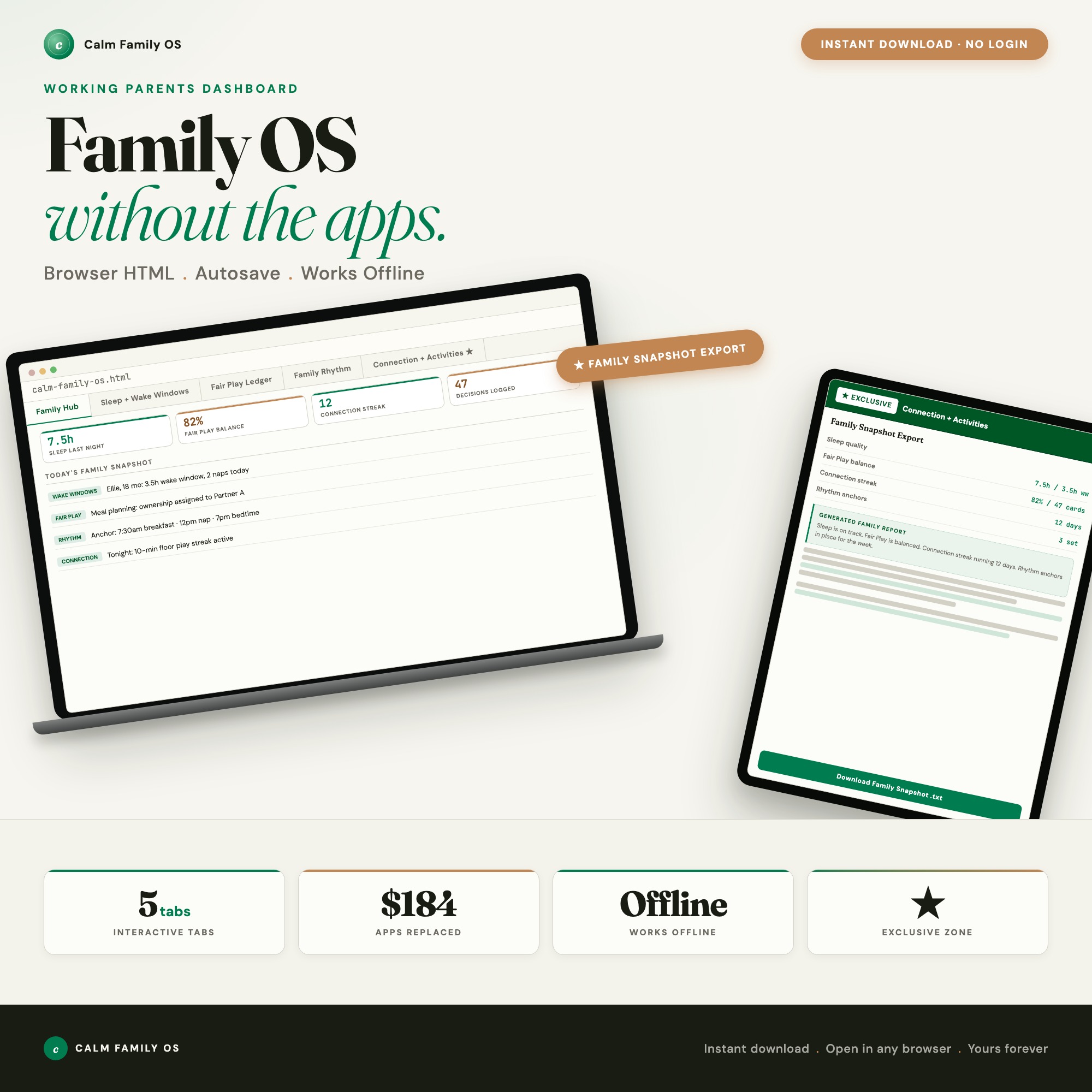
The Connection and Activities tab in the Calm Family OS includes this decision journal alongside a screen-free activity generator (reads your child’s current age, weather, and energy level to suggest three ready-to-start activities) and a one-click Family Snapshot export that summarizes your sleep data, Fair Play score, rhythm anchors, and decision log for sharing with a partner or pediatrician.
The Cost Equation
Huckleberry Plus for sleep tracking: $70/year. Cozi Family Organizer: $29.99/year. Fair Play card deck: $35. That’s roughly $135 for three tools that still don’t talk to each other.
The Calm Family OS is $22 once. No subscription, no cloud account, works offline. The four research frameworks — Polly Moore wake windows, Eve Rodsky Fair Play, Harvard CDC predictable rhythm, and Emily Oster ParentData — are built into one file that runs in your browser.
Frequently asked questions
- What parenting apps are worth paying for and which ones aren't?
- The apps that solve discrete problems with real data (like Huckleberry for sleep tracking) have clear value. The apps that promise to 'organize your family' but are essentially shared calendars with push notifications often add overhead without reducing mental load. The average family with parenting apps is paying $15–$40/month for tools they use inconsistently.
- How do dual-income parents split household tasks fairly?
- Eve Rodsky's Fair Play framework recommends assigning tasks with CPE ownership — Conception (noticing and planning), Planning (the logistics), and Execution (doing the work). Most household conflict isn't about doing the task; it's about the invisible mental load of CPE. The Fair Play Ledger in the Calm Family OS assigns CPE per task and shows a household balance score.
- What is an age-graded wake window and why does it help?
- A wake window is the appropriate awake time for a child before their next nap or bedtime, based on age. Going over the window leads to overtired meltdowns; under the window leads to short naps. For kids under 3, wake windows change frequently as they grow. Tracking the right window for your child's current age removes the guesswork.
- What is the Harvard CDC predictable rhythm framework?
- Harvard's Center on the Developing Child research found that predictable daily routines — consistent anchor points for meals, transitions, and bedtime — are linked to lower cortisol levels in both children and parents. Building routines around these anchor points doesn't require rigid scheduling; it means making the sequence predictable even if the times shift.
- How much does the Calm Family OS cost?
- One-time purchase of $22 on Etsy. It replaces what multiple parenting apps charge monthly — Huckleberry Plus alone is $70/year.
Ready-made dashboards
Skip setup — grab an interactive dashboard built for this exact workflow.
ListingResearchOS Shop
All dashboards — one-time purchase, yours forever
Single HTML files. No subscriptions. No login. Works offline in any browser.
Browse all dashboards →